Acuity Booking System

At Mindfulness Studio, we use ACUITY Scheduling Client to register for classes. Using a new piece of software, whether on your computer or phone can be challenging. Here are some tips to help you get set up with Acuity Scheduling Client to book your Mindfulness Studio Classes.

ACUITY DESKTOP

  1. Go to https://acuityscheduling.com/

  2. Click on Try It Now

Screenshot of the ACUITY SCHEDULING homepage with a gray background, white bold text saying "All you need to do is show up at the right time," and a black button labeled "TAKE 2 MINUTES. TRY IT NOW."

 3. Create an Account using your email address

Screenshot of a computer screen displaying a website for creating an account, with options to continue with Google or email, and a paragraph about terms of service and privacy policy.

4. Enter your information to create your account

Screenshot of a Squarespace account creation page for Acuity Scheduling. The form fields include First Name, Last Name, Email Address, and Password, with a 'Continue' button and a link to the Terms of Service and Privacy Policy.

5. Follow the instructions

6. Search for Mindfulness Studio or the studio ID is https://MindfulnessStudioBooking.as.me/

Your done!

ACUITY APP

1.Go to the App store on your phone

2.Search for Acuity Scheduling Client

3.Download the App onto your phone
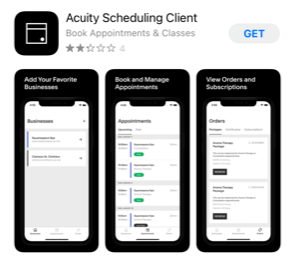
Screenshots of the Acuity Scheduling Client app showing options to add favorite businesses, manage appointments, and view orders and subscriptions on a smartphone.

4.Open the App

5.Enter the following studio ID https://MindfulnessStudioBooking.as.me/

Your done!